What Is DPI? Image Resolution Explained for Print and Screen
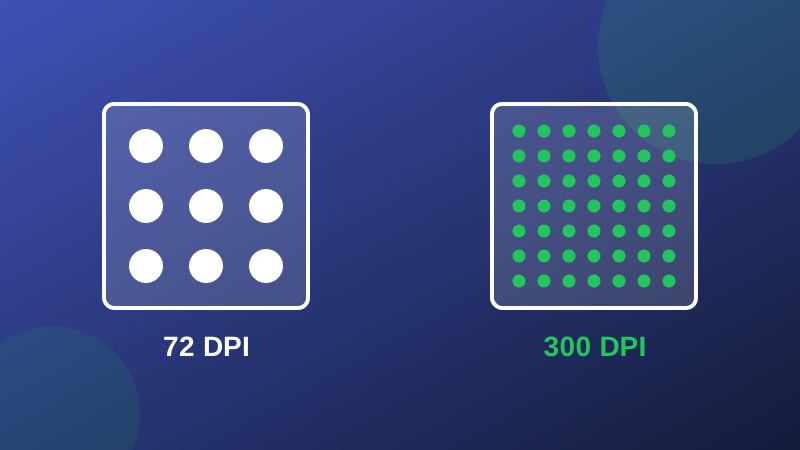
Ask whether an image is "high resolution" and someone will answer with a DPI number - 300 is good, 72 is bad, apparently. It is the most repeated half-truth in imaging: DPI by itself tells you almost nothing, and understanding why will save you from rejected print jobs, pointless file conversions, and arguments with printers. This guide explains what DPI actually is, with the arithmetic done in the open. Our Image DPI Calculator does the same math instantly when you have real numbers.
DPI is a ratio, not a quality
DPI - dots per inch - answers one question: when this image is printed, how many of its pixels land in each inch of paper? It is pixel count divided by physical size, which means the same file can carry any DPI you like. Take a photo of 2400 x 3000 pixels. Print it at 8 x 10 inches and it lands at 300 DPI - crisp. Print it at 33 x 42 inches and it lands at about 72 DPI - soft up close. The file never changed; only the spreading did. This is why "send me the image at 300 DPI" is an incomplete instruction, and why an image's stored DPI tag, which any tool can rewrite without touching a pixel, proves nothing about quality.
PPI, DPI, and what screens do
Strictly, images have PPI (pixels per inch) and printers have DPI (dots of ink per inch); everyday speech merges them, and the working meaning is the same ratio above. Screens are simpler still: a browser or phone shows your image pixel for pixel against its own display grid, and the DPI metadata in the file is ignored entirely. A "72 DPI" web image is not low quality - it is an image whose print instructions nobody is using. Judge screen images by pixel dimensions alone.
Where 300 comes from
300 DPI is the convention for material read at arm's length - books, magazines, photo prints - because at normal reading distance the eye stops resolving finer detail. It is a viewing-distance rule, not a law of nature: a poster read from two metres is convincing at 100-150 DPI, and a billboard at a few dozen. Demanding 300 for everything wastes files; accepting 72 for a handheld print wastes paper. The Image Resolution Checker reads a real file's dimensions and stored DPI together, which is the combination that actually predicts a print.
The only equation you need
Pixels = inches x DPI. A 4 x 6 inch print at 300 DPI needs 1200 x 1800 pixels; an A4 page at 300 needs about 2480 x 3508. Run it backwards before every print job: divide the pixels you have by the inches you want, and the result is the DPI you will actually get. If the number disappoints, the honest options are a smaller print or a better original - changing the DPI tag with the Image Size Calculator's cousins will not invent the pixels. Resolution is not a setting. It is a budget of pixels, spent across inches.
Frequently asked questions
Does increasing an image's DPI make it better quality?
No. Changing the DPI number only changes the metadata that says how large the pixels should print; it creates no new detail. A 1200-pixel-wide photo is the same photo at 72 or 300 DPI - at 300 it simply prints smaller and sharper per inch.
What DPI do I need for a photo book or print?
300 DPI at the final print size is the standard target for prints viewed up close, so a 4 x 6 inch photo wants 1200 x 1800 pixels. Larger prints are viewed from further away and stay convincing at 200 DPI or even less.
Is a 72 DPI image low quality?
Not by itself. DPI alone says nothing without a physical size: a 6000-pixel photo tagged 72 DPI prints beautifully at 20 inches wide at 300 DPI worth of pixels. Judge an image by its pixel dimensions and intended size together.